





My Gear: Monitors
![]() |
Zacuto | Z-Finder EVF Pro | B&H | Mfr. Site |
|---|---|---|---|---|
|
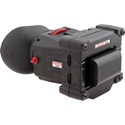
VL: An Electronic viewfinder that accepts the HDMI output from your DSLR. This can be incredibly helpful if you are trying to find a more comfortable way to monitor what you are shooting, especially when building a shoulder rig for your DSLR. However, if you are looking for a larger display for tasks such as AC focus pulling, or client playback – you will need an off board monitor like those listed below. Description (from Zacuto): The Zacuto Z-Finder EVF Pro (3.2 ) is an electronic view finder with a TFT LCD display and offers a resolution of 800 x 400 and 16.7M color. Consisting of an EVF Flip model and an optical viewfinder, the EVF Pro allows you to operate a DSLR or any other camera with an HDMI port, by offering an image as seen by the camera itself. Designed to be attached in-line to your rod system, it aids in stable and efficient shooting, and ensures correct form factor for the video. The EVF can be used with all Z-finder models and is compatible with most cameras including Panasonic AF-100 and Sony F3. |
||||
![]() |
![]() |
V-LCD651STX-HDA (6.5") | B&H | Mfr. Site |
|---|---|---|---|---|
|
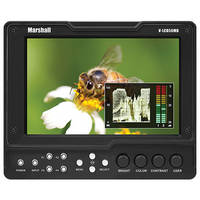
VL: Basically – the LCD on the back of your HDDSLR is simply not a professional solution for monitoring your video. I typically travel to any job with 2-4 Marshall monitors – for use onboard the cameras, for the 1st AC’s use (focus puller) to pull focus from and also so that the client can monitor our progress.These monitors do several key things:1. On the most basic level – they allow you to view the video you are shooting – from any angle that is convenient – either on camera or at a great distance (when the camera is on a JIB or mounted remotely for example.) As you well know the HDDSLR’s LCD is not well positioned for video shooting – it cannot swivel and has limited resolution. The monitors come in both HDMI in and HDSDI in configurations – and some offer the option to do both with user swappable inputs. If you’re going to go straight from the Canon HDDSLRs into the monitor – you’ll want to use the HDMI input. But if you’re going to get into multiple monitor setups and with other professional video wireless transmitters and connections – you’ll default to the HDSDI models with the use of a BlackMagic (see bottom of this page for details) HDMI to HDSDI converter. Some monitors also display scopes – which is the video equivalent of a histogram – as all still photographers know: this feature is INCREDIBLY important and worth its weight in gold. There is one general rule with ANY monitor in the world (under $10K-$20k) and that is to NEVER trust your eyes. Always use the the scopes/waveforms/histograms to judge exposure, color, highlight and shadows. No matter how expensive your reference monitor is – you can and may be fooled by the ambient light level and color you are in – so knowing how to read these mathematical displays is an invaluable skill. You can see the way we use the Marshall Monitors at numerous points throughout this video, as well as the BlackMagic (marker 2:27 in the video) converter, and Boxx (2:41 mark) Unit : 2010 HDDSLR Gear Video from Vincent Laforet on Vimeo. Description (from Marshall Electronics): The V-LCD651STX-HDA is the latest update to Marshall’s line of Super Transflective Outdoor Monitors. This 6.5" portable field / camera-top monitor is designed specifically for outdoor applications with high ambient light. Please note that 1st ACs prefer this slightly smaller monitor over the 7" model – as it has a 1024 X 768 resolution which allows you to see the full resolution 720p output coming out of the cameras. Whereas the 7" model offers an 800 X 480 resolution. |
||||
![]() |
![]() |
V-LCD70XHB-HDIPT (7") | B&H | Mfr. Site |
|---|---|---|---|---|
|
VL: This monitor is the first Marshall that allows you to loop through to an additional HDMI monitor (or as many as you want). It is also a "High Bright" monitor which makes a significant difference when used outdoors. This is extremely helpful in that it allows multiple people (Director, DP, AC’s, etc.) to monitor or work off of a live image at the same time. This eliminates the need for a convertor box, and makes setting up a video village much easier. It also has been updated to correctly interpret the camera’s output signal during record mode, and adjusts the image to fill the monitor screen. The Marshalls also have quite a few bells and whistles – all of which can be accessed through the easy to navigate menus – or with the touch of a button – the Marshalls have 4 programmable function buttons:a. The monitor can show false colors – so you can judge skin exposure, blown-out highlights and crushed blacks – "by the numbers" if you will – or in this case "by the colors." Therefore on a bright sunny day – you don’t need to trust your eyes and are less likely to be fooled. b. you can flip the monitor for when you mount it upside down – with the touch of a button. c. you can freeze a frame into memory – a snapshot if you will – to show someone at a later time or to use as a reference. d. Peak Filter – this helps you critically focus. e. A variety of markers – from a center marker, to different aspect ratios and TV-safe. f. you can see each of the RGB fields one at a time and B&W g. Pixel-to-pixel magnification – ergo you can see the full 720p signal coming out of the camera. h. you can use a variety of batteries – from small sony batteries all the way up to Anton Bauer batteries. Description (from Marshall Electronics): The V-LCD70XHB-HDIPT is a high brightness monitor with integrated HDMI loop-through. This highly-desired feature allows the camera operator to pass-through the HDMI video input from the V-LCD70XHB-HDIPT to another monitor for a client, director or crew/talent member to view on-location. This handy "all-in-one" solution bypasses the need for HDMI splitters, additional power sources and other requirements necessary to split the signal.
|
||||
![]() |
![]() |
V-LCD70XHB-3GSDI (7") | B&H | Mfr. Site |
|---|---|---|---|---|
|
VL: This monitor is the same monitor as above – but for HDSDI connections (NO HDMI.) It is also a "High Bright" monitor which makes a significant difference when used outdoors. This is extremely helpful in that it allows multiple people (Director, DP, AC’s, etc.) to monitor or work off of a live image at the same time. This eliminates the need for a convertor box, and makes setting up a video village much easier. It also has been updated to correctly interpret the camera’s output signal during record mode, and adjusts the image to fill the monitor screen. The Marshalls also have quite a few bells and whistles – all of which can be accessed through the easy to navigate menus – or with the touch of a button – the Marshalls have 4 programmable function buttons:a. The monitor can show false colors – so you can judge skin exposure, blown-out highlights and crushed blacks – "by the numbers" if you will – or in this case "by the colors." Therefore on a bright sunny day – you don’t need to trust your eyes and are less likely to be fooled. b. you can flip the monitor for when you mount it upside down – with the touch of a button. c. you can freeze a frame into memory – a snapshot if you will – to show someone at a later time or to use as a reference. d. Peak Filter – this helps you critically focus. e. A variety of markers – from a center marker, to different aspect ratios and TV-safe. f. you can see each of the RGB fields one at a time and B&W g. Pixel-to-pixel magnification – ergo you can see the full 720p signal coming out of the camera. h. you can use a variety of batteries – from small sony batteries all the way up to Anton Bauer batteries. Description (from Marshall Electronics): The V-LCD70XHB-3GSDI is a portable monitor that is a perfect solution for video professionals shooting outdoors or in bright lighting conditions. Don’t be fooled by higher screen resolution or larger-sized monitors. Our picture performance, feature set, customer service, and experience is why the industry’s leading videographers and camera operators prefer Marshall over the competition. Our product is designed, engineered, and assembled in the USA. |
||||
![]() |
![]() |
OR-901-XDI (9") | B&H | Mfr. Site |
|---|---|---|---|---|
|
VL: This is the cat’s meow of monitors… I actually like to use this as my director’s monitor with a long BNC cable as I like to be mobile or follow the camera/steadicam tethered or wireless. This is by far the best small monitor that Marshall makes and incredibly competitive in terms of color relative to all others in the market. It is built incredibly well and has a built in waveform monitor which is KEY to HDSLR. Basically my eyes are glued to this monitor and waveform during any production to make sure the framing and exposure are dead on (and not clipping.) It’s slightly larger than the above monitors – but you can add an Anton Bauer/IDX plate to the back or power if w/ and XLR plug and mount this on your camera as well. This is the one monitor I will travel the world with to use with any camera. It supports BOTH HDMI and HDSDI – and supports HDMI loop through, and 2 HDSDI ins and one out for loop through as well. It can also be used for 3D productions. Description (from Marshall Electronics): The OR-901-XDI 9" ORCHID rack mountable / portable field monitor has all the features that customers have asked for including fully automatic HD-SDI to HDMI / HDMI to HD-SDI cross conversion. The OR-901-XDI is 4RU and has 9 user-assignable function keys as well as a rotary menu system. ORCHID monitors include a variety of 3D production tools and anaglyph views. The built-in waveform monitor (which includes adjustable White and Black clip level indicators) can be displayed in three different aspect ratios including Full Screen. The built-in Vectorscope displays in full color and can also be displayed in three different ratios. The Vectorscope has adjustable gain from 1x to 5x. |
||||
![]() |
![]() |
V-R241-IMD-HDSDI (24") | B&H | Mfr. Site |
|---|---|---|---|---|
|
VL: This is a GORGEOUS field monitor. While not 10 bit (like the $12-20K monitors) it’s actually extremely competitive in terms of critically judging color on set. It also has all of built-in functions you’d expect from Marshall and has a built in waveform monitor which is critical. I judge all of my exposures off of the waveform monitor on set with this monitor and don’t need to stress out about much else other than making sure that the data isn’t corrupted somehow. It can be calibrated and with an optional adapter you can mount it to a C-Stand etc. Description (from Marshall Electronics): Marshall Electronics introduces the industry’s first full lineup of In-Monitor Displays. The V-R241-IMD-HDSDI 24" monitor is a cost-effective "all-in-one" solution for post production houses, broadcasters, and mobile units. This fully-integrated approach eliminates the need for additional or separate Under Monitor Displays and allows UMD information and tallies to be displayed directly within a Marshall flat panel monitor, while saving precious rack space. A variety of features are readily available including on-screen Video Time Code, three-color "Soft" Tallies, and Audio Presence Indicator. Marshall IMD displays also offer a RotoMenu™ feature which allows fast, direct, and easy menu navigation. |
||||
![]() |
BlackMagic Designs | Mini Convertor HDMI to SDI | B&H | Mfr. Site |
|---|---|---|---|---|
|
VL: This has become an essential piece of kit – HDMI simply isn’t the way to go when you get into more comples systems – HDSDI is – therefore this box solves that problem and can be powered via AC power or with an Anton Bauer batter on a battery plate w/ P-Tap adapter – or by the Viewfactor cage as well with a Lemo cable. See this unit in use in the video below at the 2:27 Mark: 2010 HDDSLR Gear Video from Vincent Laforet on Vimeo. Description (from BlackMagic Design): Mini Converter HDMI to SDI is ideal for converting from HDMI devices to SDI video with the choice to embed SDI audio from HDMI, AES/EBU or balanced analog audio inputs. Now you can add SDI outputs to cameras with HDMI connections, or if your computer supports HDMI compatibility via DVI to HDMI adapters, then you can add SDI outputs to computers. Also features a built in hardware down converter to connect HDMI video to SD-SDI equipment. |
||||
![]() |
Boxx TV, Ltd. | Meridian System | Mfr. Site | |
|---|---|---|---|---|
|
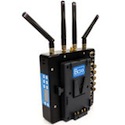
VL: This is a pretty essential unit for any serious production in my opinion – when you want to shed cables. The price point of this unit makes it a likely rental item – but for my productions it’s an essential unit. This is one of the most reliable HD wireless transmitters out there – it’s closest competitor is 3-4X as expensive. This will allow for a 1st AC to pull focus live off of a high definition monitor – and for totally wireless operation of the body on a Steadicam or pretty much any configuration. See the video below for a good illustration of how we use this unit. See this unit in use in the video below at the 2:41 Mark. Description (from Boxx TV): The Meridian system has been designed for high quality, zero delay, short range transmissions. In line with our existing product range, the Meridian system uses licence exempt channels and offers secure encrypted transmissions. It can be used for a variety of applications including large screen presentations, award ceremonies and live broadcast events. |
||||
![]() |
![]() |
Cube 120: 1ch HD-SDI Encoder | B&H | Mfr. Site |
|---|---|---|---|---|
| Description (from Teradek): Cube is the world’s first camera-top wireless HD video encoder. Cube streams up to 1080p over WiFi or wired Ethernet. Cube is the ideal solution for guerilla filmmakers who need on-set video monitoring without the cost or complexity of a full VTR rig. Cube is also a great solution for full-scale film productions to eliminate camera tethering on long dolly moves, running footage, steadicam shots, hand-held operation, jib-arms, and crane shots. Cube’s ad-hoc networking mode creates a network and streams directly to a decoding device such as a Laptop or iPad with no other equipment required. Using Cube’s infrastructure network mode Cube’s IP video stream can be distributed over a LAN/WAN or over the Internet. Cube uses the world’s most advanced video compression – H.264 High Profile Level 4.1 and provides Blu-ray video quality. Cube’s end-to-end latency is approximately 1/8-1/2 second. This particular Encoder uses an HD-SDI input. | ||||
![]() |
![]() |
Cube 220: 1ch HDMI Encoder | B&H | Mfr. Site |
|---|---|---|---|---|
| Description (from Teradek): Cube is the world’s first camera-top wireless HD video encoder. Cube streams up to 1080p over WiFi or wired Ethernet. Cube is the ideal solution for guerilla filmmakers who need on-set video monitoring without the cost or complexity of a full VTR rig. Cube is also a great solution for full-scale film productions to eliminate camera tethering on long dolly moves, running footage, steadicam shots, hand-held operation, jib-arms, and crane shots. Cube’s ad-hoc networking mode creates a network and streams directly to a decoding device such as a Laptop or iPad with no other equipment required. Using Cube’s infrastructure network mode Cube’s IP video stream can be distributed over a LAN/WAN or over the Internet. Cube uses the world’s most advanced video compression – H.264 High Profile Level 4.1 and provides Blu-ray video quality. Cube’s end-to-end latency is approximately 1/8-1/2 second. This particular Encoder uses an HDMI input. | ||||
![]() |
![]() |
Teradek Case | B&H | Mfr. Site |
|---|---|---|---|---|
| Description (from Teradek): The combination of small size, low power, and versatility in a single, well-designed system makes for a powerful and elegant wireless VTR system. Cube is pre-configured to automatically begin recording a proxy file the moment record is pressed on the camera. An instant daily is created when recording is started in realtime on the Mac Mini server in the ubiquitous .MOV or .MP4 formats. The recorded file will be identical in name, start and stop times, and timecode as the original file still on the camera’s storage. It will also be available for immediate review on any LivePlay equipped iPad on set. LivePlay users are able to add comments with a simple touch of a button in completely customizable data fields with managed user privileges and reporting. | ||||
![]() |
|
10′ HDMI Mini to HDMI Cable | B&H | Mfr. Site |
|---|---|---|---|---|
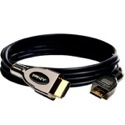
| Description (from PNY): At a fraction of the size of traditional HDMI cables, these measure a slender 3.6mm in diameter and are more pliable for ease of use and compact enough to transport in your digital camera bag. Lightweight and ultra portable, these cables are small enough to fit in the palm of your hand when rolled up. Available in lengths up to 16 feet, the cables are perfect for use when monitoring on an external device. | ||||


How does the 4:3 aspect ratio marshalls (the 6.5″) handle widescreen signals coming in? Surely you’re not actually utilizing the full 1024×768 resolution?
Reply
Chip Burns Reply:
August 31st, 2010 at 9:11 pm
@art chong, we use this monitor with our 5D and it doesn’t fully utilize the resolution. When you push record, the 5D goes into an odd aspect ratio and drops to 480p.
You can preview at 1:1 resolution, which is helpful for initial focus, but the 5D doesn’t output the hi-res once record is pushed.
Reply
The BlackMagic Designs, Mini Converter HDMI to SDI unit is no longer offered and has been discontinued. Do you suggest an equal or greater alternative for this?
Reply
Is a monitor accurate for focus pulling using Canon EF Zoom lenses on a 5D since the output is 480p only?
Reply
Hello Vincent!
I am with one question that i tried to find answer all over the internet but couldn’t (
Some time ago on one of your backstage of multi-camera workflow i sow a interesting converter u used to display (in like a multiscreen) multiplay (4) SDI signals on one big display. It was a box of red color Blackmagic HDMI to HD-SDI convertor size.
I am wondering wat device did u used and probably you can give your opinion on it?
Thanks a lot!
Reply
Hi Vince,
Awesome stuff you’ve put together on your blog and I read it as often as I can. The DSLR workshop you had on Creativelive really got me going on this HD DSLR wave.
I’ve got a simple question regarding looking in a viewfinder with glasses on. Is it something that’s annoying or is it not an issue? I’m asking because I’m planning to get either an external monitor or viewfinder but I’m not sure which as I’m wearing glasses too.
Hope you’ve got the time to answer my question. All the best from Denmark
.
Reply
@Chip Burns, This means that the 5D Mark II does have 720p in standby live view mode?
Reply
Vincent Laforet Reply:
January 12th, 2011 at 10:03 pm
Yes it does – ALMOST – 720p when you take the two letterbox stripes into account – but again not when you record
Reply
Hi Vincent . I have Redrock micro support system with Marshall 7 inc monitor,but i like your full system very much. Please can you send your full system list with HD transmitter all brands.And how can i buy those system?i will come to New york soon. You are amazing ..thank you for intruducing HD-DSLR..
Reply
Hey Vincent,
I’m trying to build a rig of my own and I was wondering if I go HDMI in to the Marshall 7″ monitor can I take output from the video or component jacks?
Thanks for your help!
Reply
[...] the next few days) as this is the first public announcement of this product – check it out on the my gear section HERE and on the Marhsall Electronics site HERE. [...]
I am holding out for a tablet with an HDMI input. Talk about multiple uses… Everything I need to organize a shoot short of editing on the production end with a tablet and then pop in an HDMI to use as an external monitor. I surf around the web every three or four days looking for one.
Reply
I bought the V-LCD651STX-3G SDI as Vincent suggested but now in setting it up I find that my Marshall V-LCD651STX shuts off in record mode. It doesn’t just “down-res” it just shows a blue screen. Does anybody know any work around to this?
Best,
Dare
Reply
Does anyone know which mini HDMI to Female HDMI adapter cable Vincent used when he was showing the rigs?
I remember in last year’s class, he recommended getting a mini to regular HDMI adapter and an HDMI cable instead of just a mini HDMi to HDMI cable, because the cables kept breaking and falling out of the HDMI port on the Canon.
Problem is, all the adapters I’ve found so far are the short ones that are a little wide and tend to block the mic input on the camera. The adapter I saw him use this time seemed to be a short , maybe 10 inch cable with a mini HDMI male and a regular HDMI female connector
Reply
Can the Cube wireless transmitters work with the 5D, considering it doesn’t output a consistent HD signal over HDMI? We’re considering using it to broadcast the Student Government debates at Northwestern this coming year.
Regards,
Paul
Reply
Typo under your HDMI to SDI section “This has become an essential piece of kit – HDMI simply isn’t the way to go when you get into more comples systems”
Find it in the complex words.
Thanks
Reply
[...] I’ve been a big fan of Teradek’s wireless Cube System (check it out on the GEAR PAGE)- It’s a great solution for both HDDSLR and RED filmmakers, as it offers a wireless [...]
Hello,
Please excuse this still photography question, but guessing confidently that you will never stop being a still photographer, which monitor would you recommend for still photography editing -that would be most affordable but still prograde as far as color correction aspect?
Thank you!
Hoon
Reply
Vincent Laforet Reply:
September 8th, 2011 at 12:20 am
Nothing great that’s affordable… Apple displays are very good but many hate the reflective glass… Eizos are the high end…
Reply
Hey Vincent,
As everyone mentions–thanks for such a thorough run down of all the equipment. Got a question about the BlackMagic HDMI convertor to SDI. If I want to use that unit to convert a signal I can then run wirelessly to a remote monitor–say for use with an AC or Field Producer–what other equipment should I look into to make that happen?
Thanks
Reply
Vincent Laforet Reply:
November 14th, 2011 at 8:28 am
You just need to power it w/ a P-Tap or other and it will work. Marshall Electronics has a similar box that just came out and is much better built.
Reply
Hi VIncent !
It’s Kerraine here once more…
How’ve you been ?
A sudden thought but…
Would you use the new iPad as a reference monitor with a cube ?
If you would, I’m thinking how would it be mounted to the rig…
Also…
I’ve sent ya’ an e-mail but must have bounced to your junk box.
Hope to hear from you soon !
Reply
Vincent Laforet Reply:
March 27th, 2012 at 2:17 pm
It would be nice to use the new iPad indeed! Haven’t had a chance yet… but remember – it’s a compressed signal coming out so I wonder how much advantage there is and there will of course be a delay so it’s not meant for pulling focus. What e-mail did you send to?
Reply
@Vincent Laforet,
I thought the new resolution shown by the new iPad would be great to use. ^^
Also… It’d be interesting to see where the iPad would be placed on a rig as it’s pretty big !
Would love to see you doing it considering that I’m just planning on saving to buy equipment from scratch.
I sent the e-mail twice to production@vincentlaforet.com
Hope it’s correct…
Reply
Hello Mr. Laforet
What kind of p-tap to dc input cable do you use on Marshall V-LCD56MD monitor. I have been looking around but no luck, even at filmtools in LA.
any advice will help.
Best
Reply
Vincent Laforet Reply:
July 13th, 2012 at 6:45 pm
Good eyes! I had mine custom made… by a friend (i.e. not a commercial place I can direct you to…) It’s well worth it – I power the monitor off of my P-Tap port on my Anton Bauer plate. I’m sure you can make one on your own or find someone who can do it for you.
Reply
@Vincent Laforet, Thank you very much for the tip. I will look into it.
Reply